 AgentCron
Find a topic your audience cares about
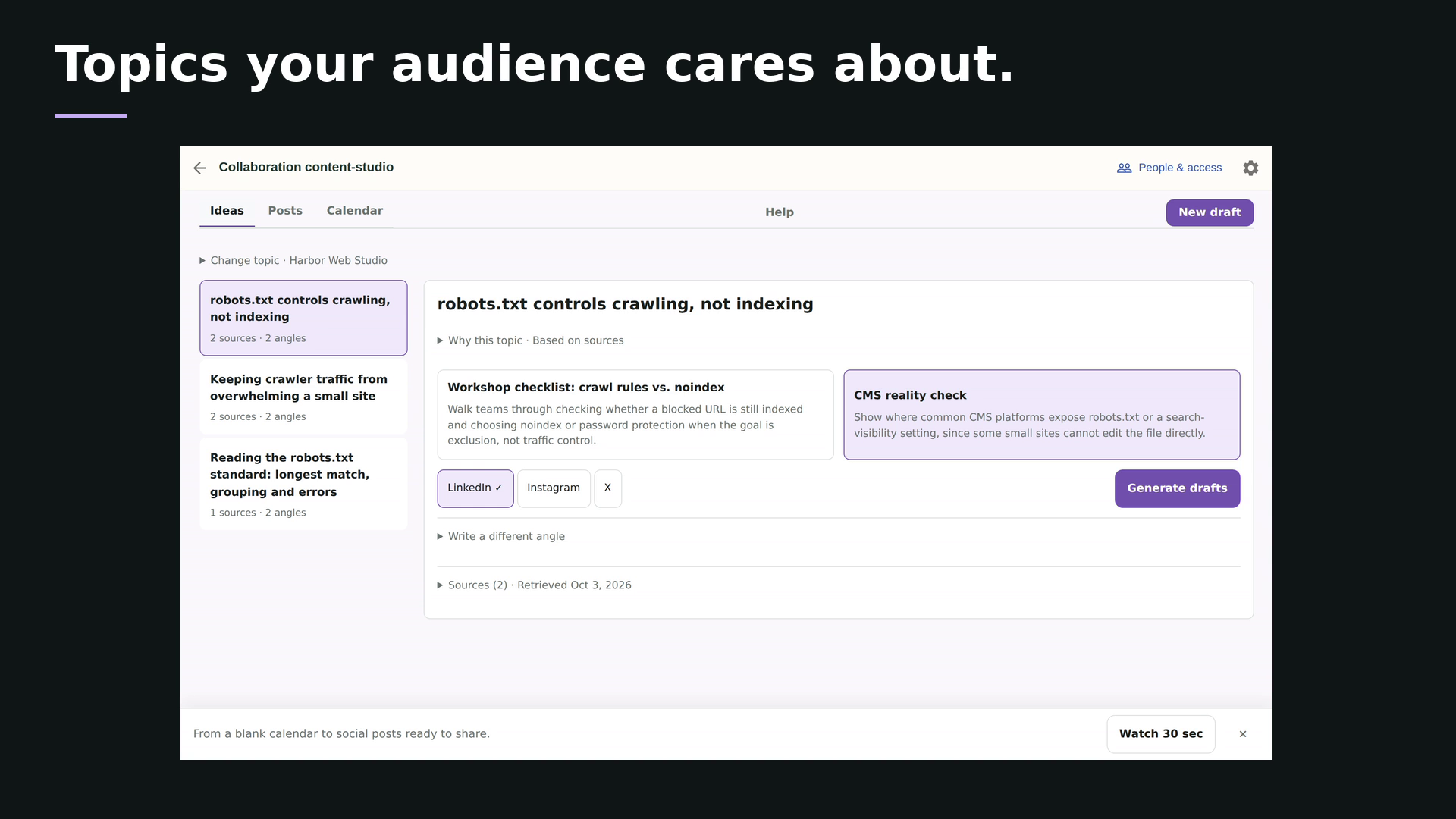
Research a subject or start from a source link. Inspect the evidence, choose an angle and generate a channel-specific suggestion.
 Content Studio
Turn relevant topics into posts your team can stand behind. Inspect the sources, choose your brand's angle, then edit and approve a channel-specific draft.
Start free with Content StudioNo card required.
 Watch 30 secSee what your team can achieve ↗
Research a subject or start from a source link. Inspect the evidence, choose an angle and generate a channel-specific suggestion.
Adopt a suggestion, edit it and request review. Approval belongs to that exact version, with source context and feedback kept alongside it.
Publish through your chosen channel, then record the date and live link against the approved version.
Marketing teams, enterprise content teams and agencies creating social posts with writers and reviewers. Reuse brand context and keep research, drafts and approvals in one workflow.
A writer submits a draft version. Reviewers approve it or request changes. Later edits need a new review, so approval stays attached to the exact content that was reviewed.
No. It manages content planning, drafting and approval. Publish through your chosen social platform or publishing tool, then record the live link and publication date in Content Studio.
Docs, projects, chat and shared files. Together in AgentCron.


